Setup Guide
Get started in under 5 minutes — no coding required.
Open Theme Editor directly (recommended)
Enter your store domain and jump directly to Theme Editor. Then go to Add block → Apps → Category Tiles Display and click Save.
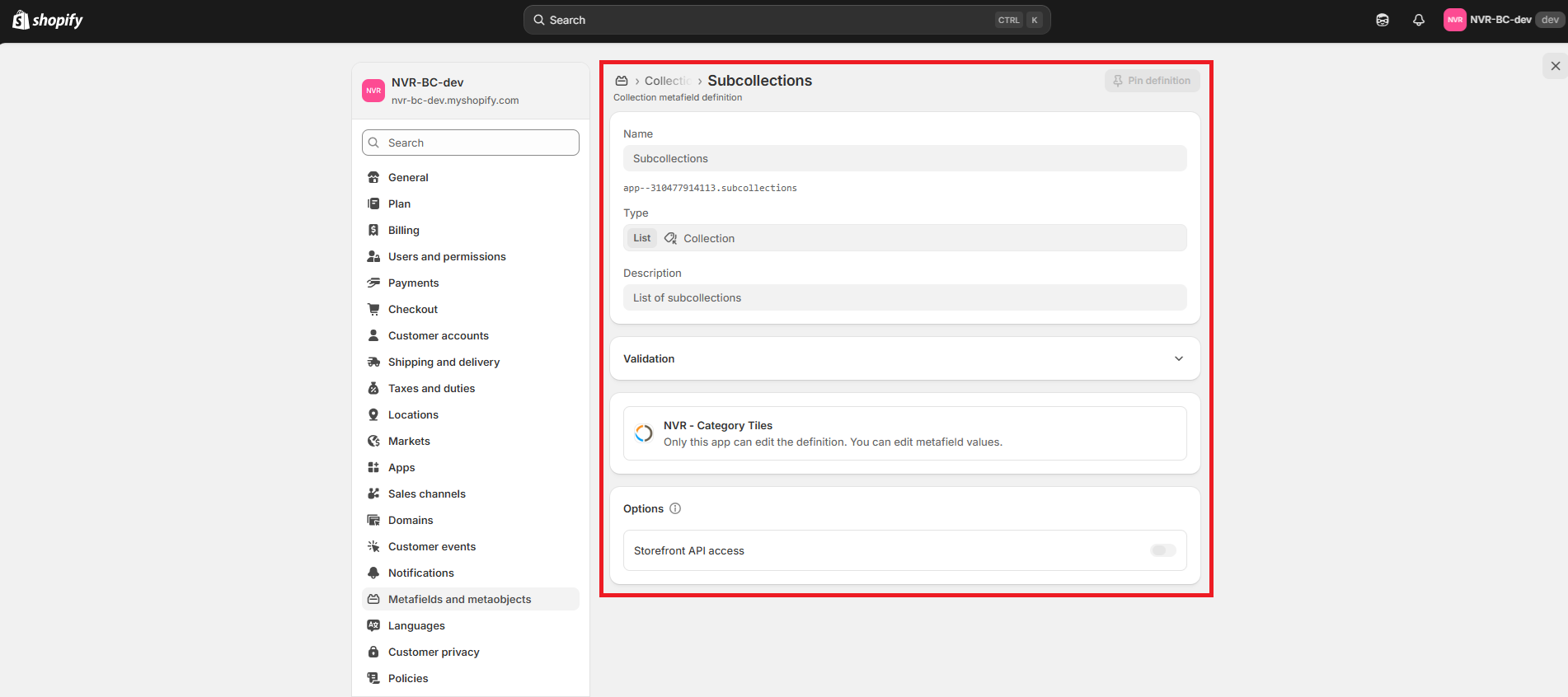
Automatic creation of metafield
Immediately after installing the application, the Subcollections metafield is automatically created.
Create your Parent Collection
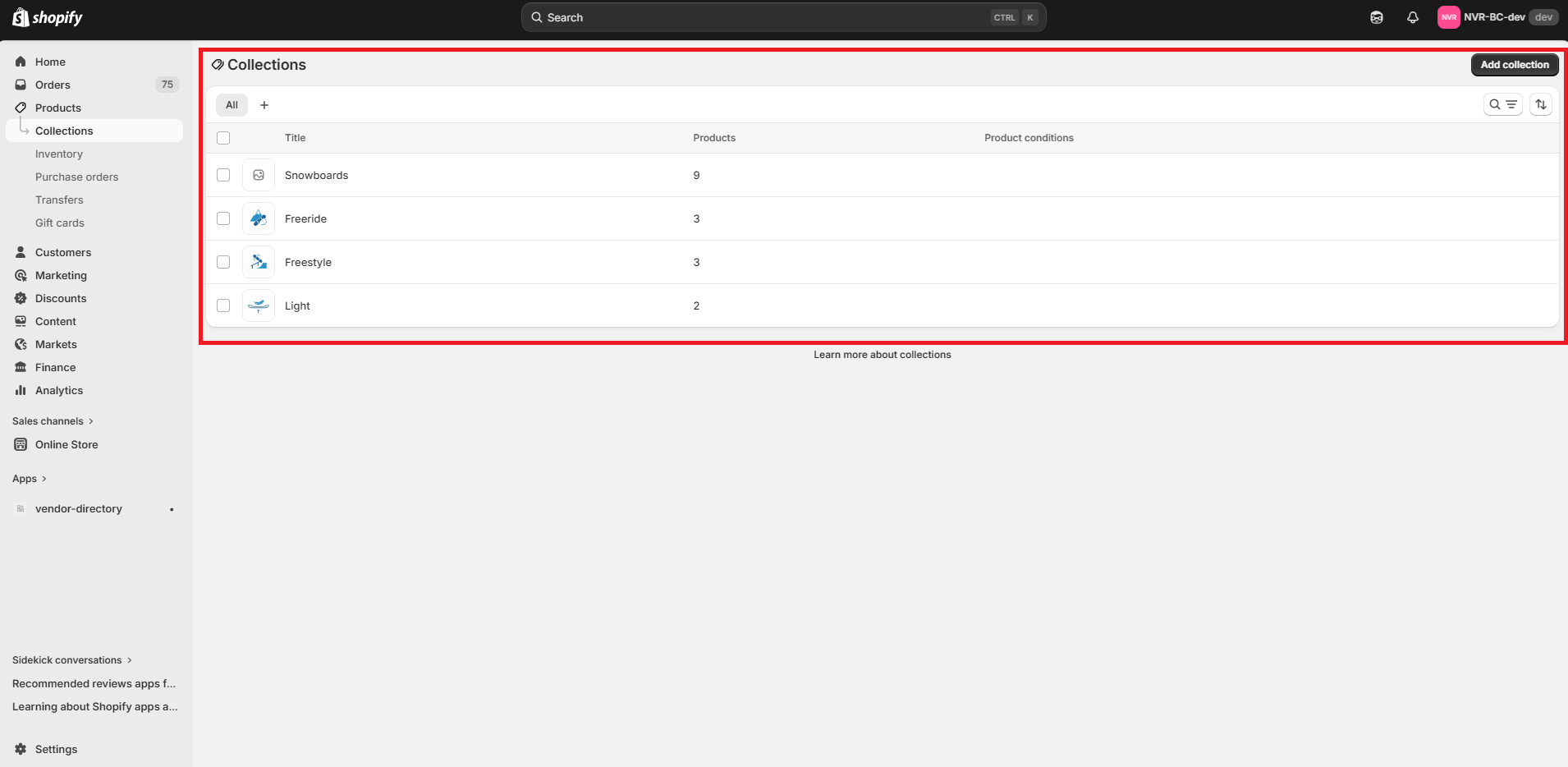
In the Shopify Admin, click on the field Products → Collections, then create your Parent Collection (e.g. Snowboards).
Create your Child Collections
Stay in the Collection tab and create your Child Collections (e.g. Freeride, Freestyle, Light).
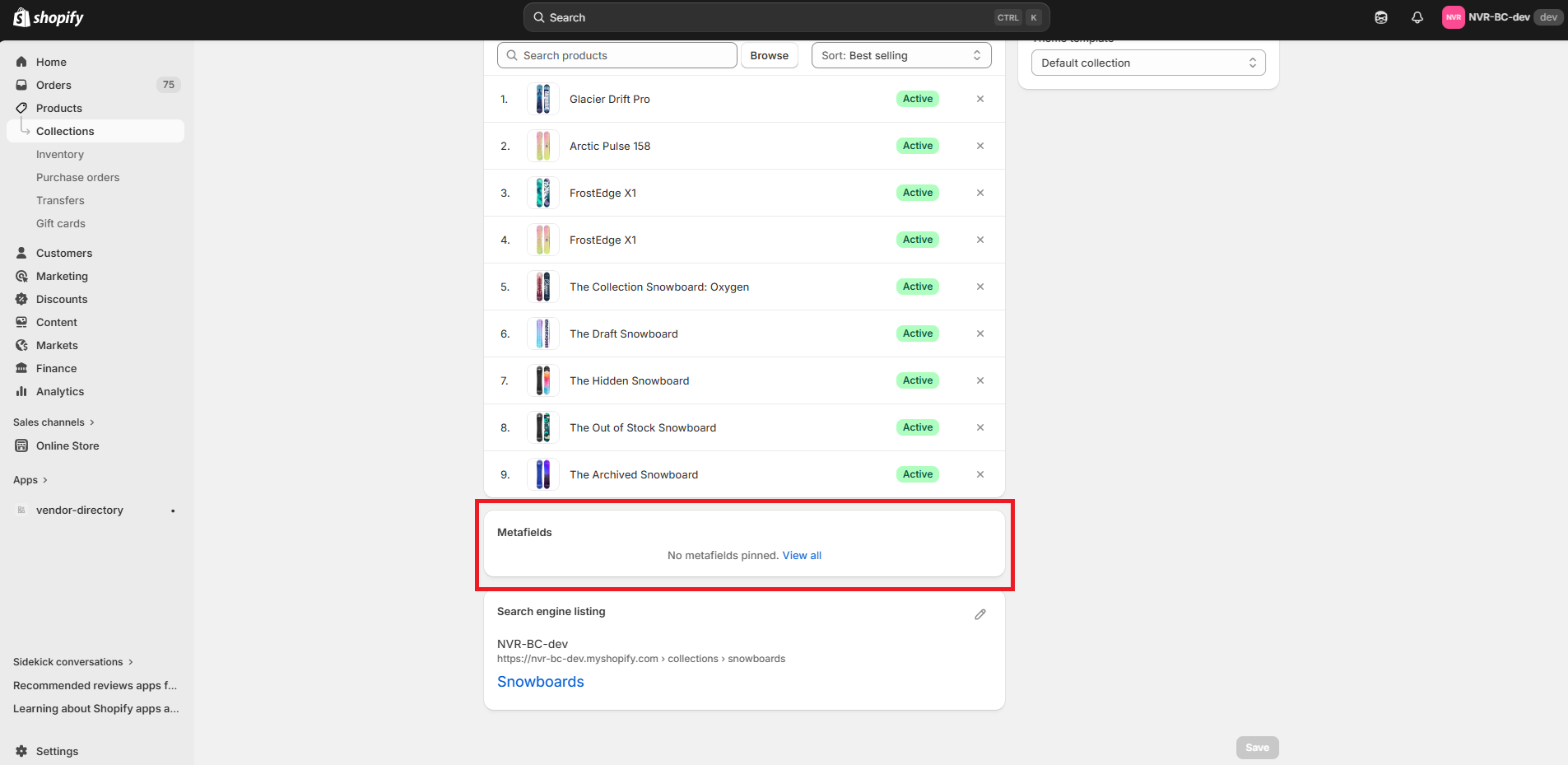
Navigate to the Metafields section in your Parent Collection
Navigate to your Parent Collection (e.g. Snowboards), scroll down to the Metafields section and click on View all.
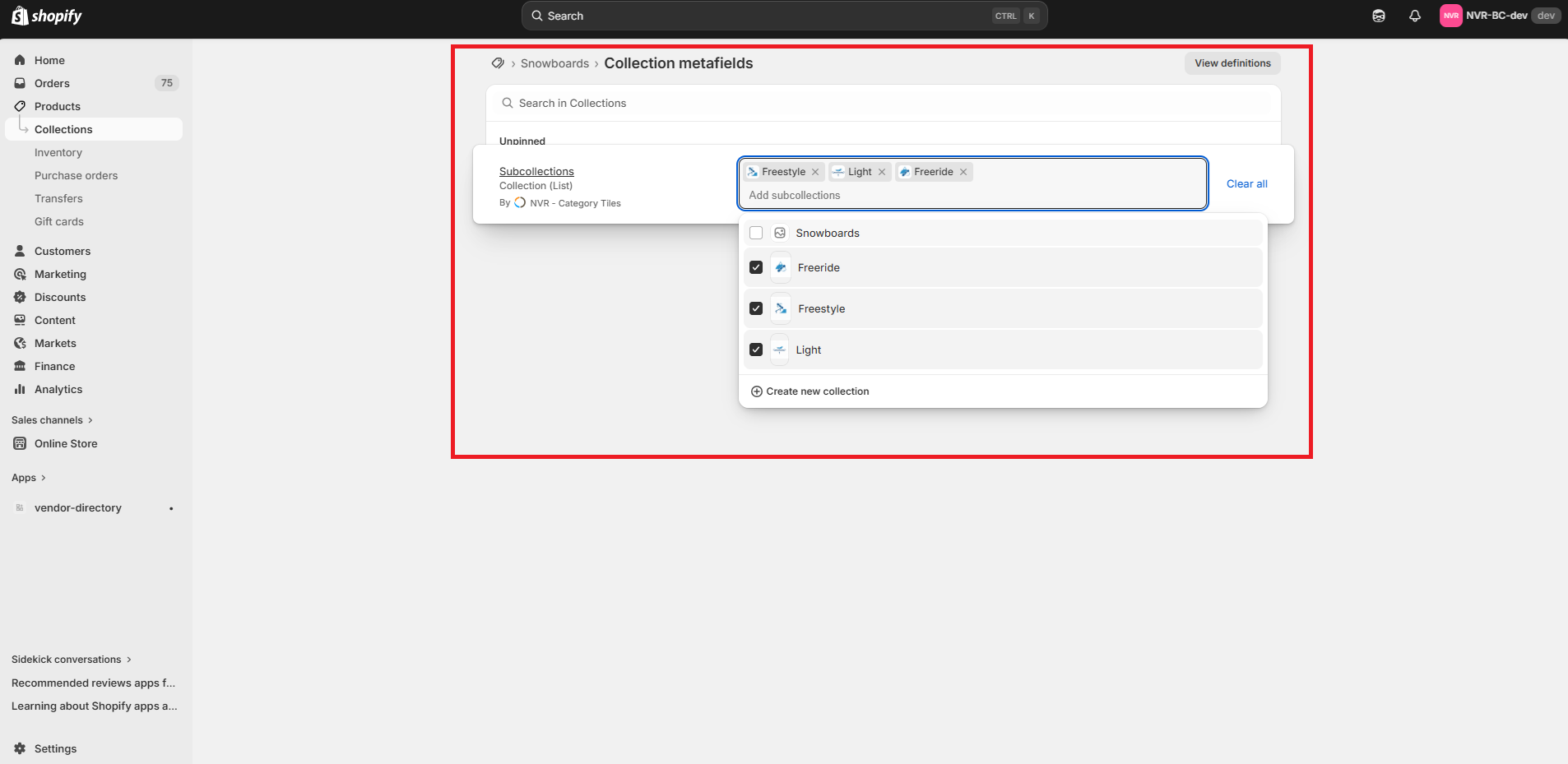
Add your Child Collections to your Parent Collection
Once you are on the Metafields page, click on the Subcollections metafield and select the Child Collections you want to add (e.g. Freestyle, Light, Freeride).
Add the app block to your theme
Navigate to Online Store → Themes → Customize. Select the target template, click Add block, then choose Apps → Category Tiles Display.
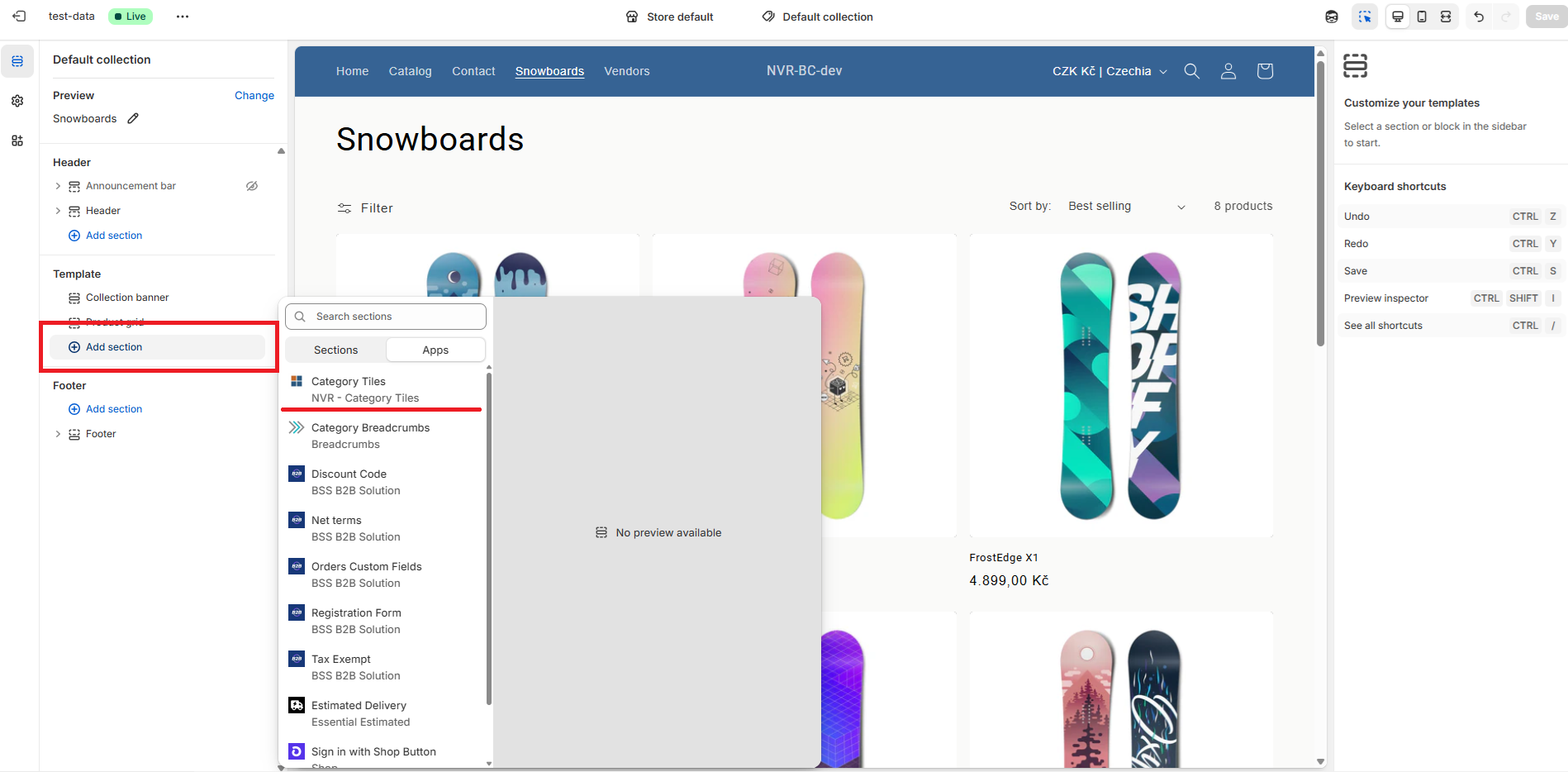
Customize and save
On the right side of Theme Editor, adjust tile settings and click Save to publish changes.
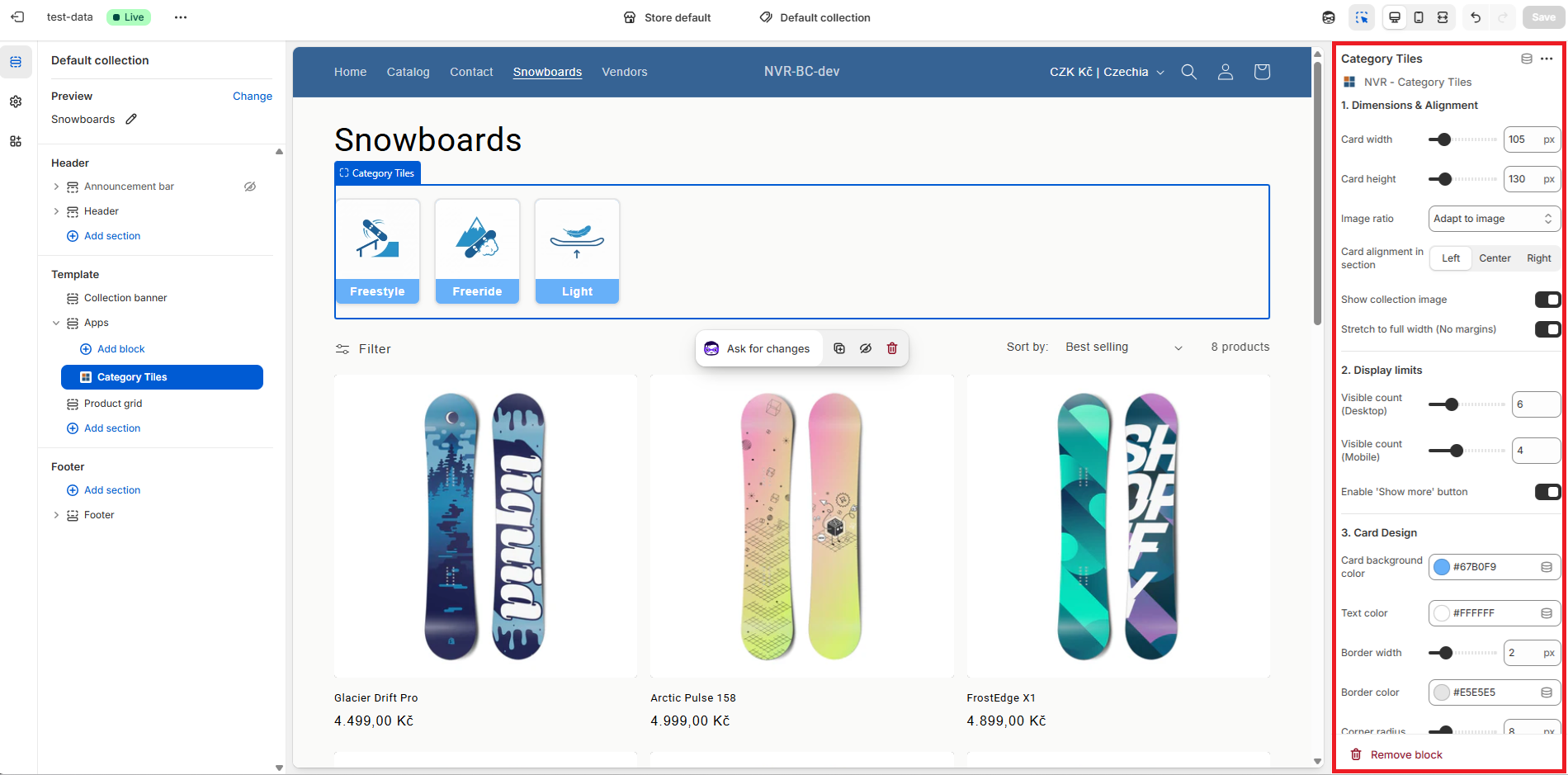
Fully Customizable
Adjust card size, image ratio, colors, borders, and typography directly in the Theme Editor.
Mobile Ready
Responsive design with separate display limits for desktop and mobile devices.
Multi-language
Full localization support: English, Czech, Slovak, German, and Polish out of the box.
Performance First
Lazy-loaded images, optimized via Shopify CDN, and zero impact on theme code.
Need help?
If you run into any issues or have questions, our support team is happy to help.
Contact Support